 3a45d5fec0
This PR adds a new example showcasing how to integrate Arcade tools with LangGraph.js to create a ReAct agent. The example is based on the [LangChain React Agent JS](https://github.com/langchain-ai/react-agent-js/tree/main) repository. |
||
|---|---|---|
| .. | ||
| src | ||
| .gitignore | ||
| langgraph.json | ||
| package.json | ||
| README.md | ||
| studio.png | ||

Arcade LangGraph.js Agent
This project is based on the LangChain React Agent JS repository.
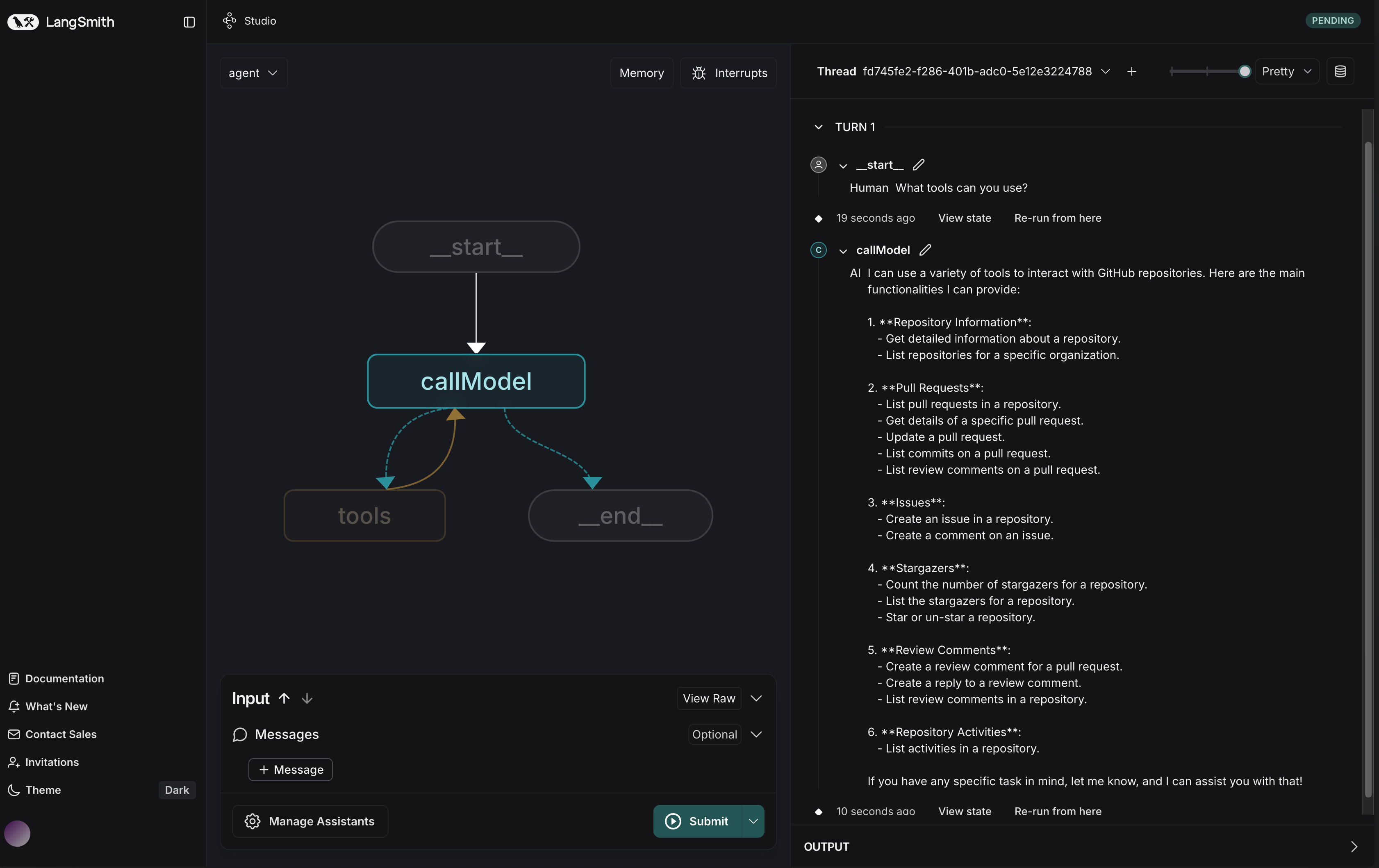
This template showcases a LangGraph.js agent integrated with Arcade tools, designed for LangGraph Studio. The agent uses the ReAct pattern to execute API calls and access various tools through the Arcade API.
What it does
The Arcade LangGraph agent:
- Takes a user query as input
- Reasons about the query and decides on an action using Arcade tools
- Executes the chosen action through the Arcade API
- Observes the result of the action
- Repeats steps 2-4 until it can provide a final answer
This approach creates a flexible agent that can interact with multiple services like Google, GitHub, and other external tools through Arcade's unified API.
Getting Started
-
Clone this repository
-
Create a
.envfile:cp .env.example .env -
Add your API keys to the
.envfile:OPENAI_API_KEY=your-openai-api-key ARCADE_API_KEY=your-arcade-api-key ARCADE_BASE_URL=https://api.arcade.dev -
Install dependencies:
pnpm install -
Run the development server:
pnpm dev
How it works
The core logic is defined in src/graph.ts
- Loads Arcade tools for multiple toolkits (e.g., Google, GitHub)
- Creates a model with the tools bound to it
- Routes messages between tool calls and model reasoning
- Compiles everything into a graph you can invoke and deploy
Project Structure
src/graph.ts- Main graph implementation showing how to create and use a LangGraph agent with Arcade toolssrc/arcade.ts- Utility functions for integrating Arcade with LangGraph and converting Arcade tools to LangChain toolssrc/configuration.ts- Configurable parameters for the agentsrc/prompts.ts- Default prompts used by the agentsrc/utils.ts- Helper functions for loading models
Customization
To use different Arcade toolkits or queries:
- Modify the
toolkitsarray ingetArcadeTools()insrc/graph.tsto include the desired toolkits (e.g.,["google", "github", "notion"]) - Change the default model in
src/configuration.ts - Update the system prompt in
src/prompts.ts
Currently supported Arcade toolkits:
- GitHub
- Notion
- X
- And more
You can check out our Integrations documentation for more information on how to integrate with other tools.
You can also create your own custom tools and integrate them with LangGraph. Check out our Custom Tools documentation for more information.
Development
While iterating on your graph, you can edit past state and rerun your app from past states to debug specific nodes. Local changes will be automatically applied via hot reload.
You can create an entirely new thread, clearing previous history, using the + button in the top right of the LangGraph Studio interface.
Authorization Flow
The integration handles authorization requirements for Arcade tools:
- When a tool requires authentication, an authorization URL is generated
- This URL can be presented to the user to complete the authorization process
Prerequisites
- Node.js (v18+)
- pnpm
- Arcade account with API key
- OpenAI API key or other compatible LLM